AI TOOL / #09919
ThinkBoxAI
An affordable AI client for Mac, Windows, and Linux that uses API keys from AI providers.
Introduction
Affordable AI client for Mac, Windows, and Linux, using AI provider API keys.
What is ThinkBoxAI?
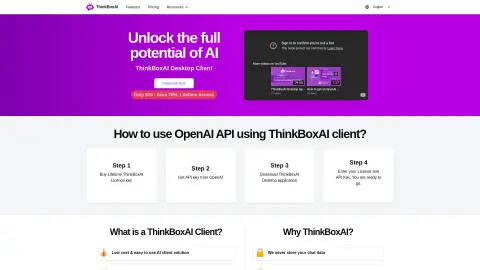
ThinkBoxAI is a secure, affordable, and easy-to-use AI client that supports Mac, Windows, and Linux. It lets users unlock the full potential of AI by using their AI provider’s API key. It offers a low-cost AI client solution, pay-as-you-go ChatGPT, customizable GPT outputs, and a ready-to-use prompt library.
How do I use ThinkBoxAI?
1. Purchase a ThinkBoxAI lifetime license key.
2. Get an API key from OpenAI.
3. Download the ThinkBoxAI desktop application.
4. Enter your license and API key. You can then get started.
ThinkBoxAI's core features
A low-cost and easy-to-use AI client solution
Pay-as-you-go ChatGPT solution
Customize GPT output through advanced settings
Ready-made prompt library
Cross-platform compatibility
Related
No Porn
An AI-powered porn blocker with parental controls to ensure a safe online experience.
Originality
Originality.ai: AI and plagiarism checker for content integrity.
TimelyGrader
AI grading assistant that helps teachers streamline feedback and grading, with human oversight.
Double Check AI extension
An AI-powered homework and test solver that helps students verify their answers and improve their learning outcomes.
RateMyJD by Dover
Smart tools are used to improve job descriptions and attract top-tier talents.
CoverSentry
Using AI to write cover letters? It’s best to scan it before sending.