AI TOOL / #08846
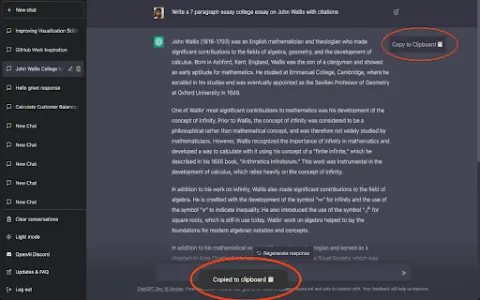
Copy for Chat GPT
An extension used to copy ChatGPT responses and check for plagiarism.
Introduction
Extension to copy ChatGPT responses and check for plagiarism.
What is the Plagiarism Detector Extension for Chrome – an extension/plug-in for Google Chrome?
This extension allows you to copy the responses generated by ChatGPT by clicking a button or using the CMD+K shortcut key, and then have those responses checked by plagiarism detection tools.
How to use the Plagiarism Detector Extension for Chrome?
You can use this extension by clicking the copy button on ChatGPT’s response or by pressing CMD+K. The copied text will be automatically checked to determine whether it contains any plagiarized content.
The core functionality of the Plagiarism Detector Extension for Chrome.
One-click to copy the response from ChatGPT
Use the CMD+K shortcut key to copy.
Automatic plagiarism detection
Related
ITONICS
Management software that drives innovation.
HiveSpark
An AI content generator designed for startups, offering over 100 templates for various business tasks.
startnew.app
An AI-driven platform designed for commercial creativity, marketing strategies, and business plans.
Startup AI Hub by TOPY.AI
An artificial intelligence-powered platform that provides services for evaluating the value of startups, conducting market research, and assisting in the creation of business plans.
YCLens
YCLens utilizes the data and successful models from the YC Entrepreneurship Camp to assist founders in building better startups.
Reforgify
Discover and adapt entrepreneurial ideas through an AI-powered platform.