AI TOOL / #08838
Plagiarism Remover
AI-based tool to remove plagiarism and make content unique.
Introduction
AI-based tool to remove plagiarism and make content unique.
What is Plagiarism Remover?
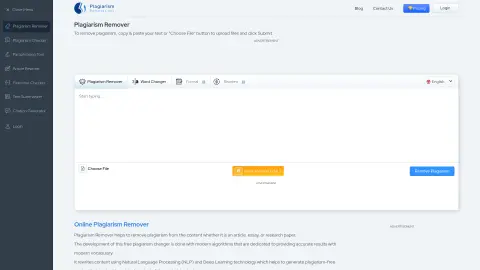
Plagiarism Detection Tool is an AI-based online tool designed to remove plagiarism from content and make it unique and original. It works as a plagiarism converter or rewriting tool by rewriting sentences to ensure the content is 100% unique. The tool offers multiple modes, including plagiarism detection, word replacement, formal mode, and abbreviation mode, and supports multiple languages. The tool leverages natural language processing (NLP) and deep learning technologies to rewrite content while maintaining the original context.
How to use Plagiarism Remover?
Here are the steps to use the plagiarism detection tool: Copy and paste your text or upload a file, select a mode (Plagiarism Detection, Word Replacement, Formal Mode, or Abbreviation Mode), select a language, and click Submit. Once processing is complete, you can download the unique content in .txt or .docx format.
Core Features of Plagiarism Remover
Plagiarism removal based on artificial intelligence
Multiple content modification modes (vocabulary replacement, formal, abbreviation)
Support multiple languages
Word count display
File upload options
Humanized plagiarism removal
Related
CapCut Pro
Jianying, a video editing tool owned by Douyin, is certainly familiar to anyone making short videos. It has become widely popular for being powerful yet easy to use. It has turned video editing—a task that used to have a high learning curve—into something anyone can use to easily produce good-looking videos, making short-video creation simpler than ever.
Micro-PE Toolkit
The Micro PE Toolkit is a well-known tool for installing and maintaining computer systems. It has now been updated to version v2.2, featuring a brand-new kernel and being developed based on Windows 10 21H1. This new version fully supports current mainstream computers and enables the installation of Windows 11 systems with ease.
Magic eraser
Magic Eraser – A magical eraser that allows you to remove unwanted elements from images in just a few seconds. For example, if other people appear in your landscape photo, you can use this tool to eliminate them. The resulting image is shown below. Currently, this tool is available on this website.
Taobao and JD.com Special Offer Group
Taobao, JD.com, and PDD exclusive discount group: Scan the QR code to join this group and receive the latest, most comprehensive discount information from Taobao and JD.com every day. We also share various tips on bulk purchases, price loopholes, amazing deals, and brand promotions! Scan the code to join now.
OfficePlus
OfficePlus is a website provided by Microsoft that offers PPT templates, Word documents, Excel charts, and various other template resources. All of these resources are completely free to download and use, without any hidden requirements or fees! The site includes business and academic PPT templates, job application resumes, commonly used documents, and financial reports.
Academic Search
Chongbuluo Academic Search, produced by the Chongbuluo community, integrates 21 academic resource indexing sites, making it easier for you to search academic resources across different academic websites.