AI TOOL / #08778
MailAttach
A browser extension that reminds you when you forget to attach a file to an email.
Introduction
Browser extension that warns you if you forget attachments in your emails.
What is the MailAttach AI Chrome extension/plug-in?
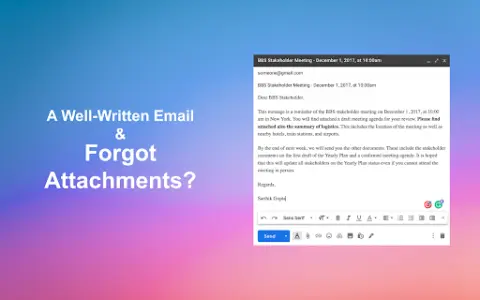
MailAttach is a browser extension designed to analyze the content of your emails and issue alerts when you attempt to send an email that mentions attachments but does not include any actual files. It helps you avoid making the common mistake of forgetting to attach necessary files to important messages.
How to use the MailAttach AI Chrome extension/plug-in?
MailAttach will automatically analyze the content of the email you have written. If you click the “Send” button without attaching any files, and the text of the email suggests that an attachment should be included, MailAttach will pause the sending process and display a warning. You can either add an attachment or ignore the warning and proceed with sending the email.
The core functionality of the MailAttach AI Chrome extension/plug-in
Analysis of email content to identify keywords related to attachments
If any attachments are missing, pause the sending process.
Provide a warning message that offers the option to add an attachment or ignore the request.
Support for Gmail; more email clients are planned to be added in the future.
Related
iPhone Calendar Subscription
Subscribe to the information about Chinese public holidays in your iPhone/MAC calendar to make it even more useful. This feature includes details about both domestic public holidays and compensatory days.
Key features:
- The holiday information is sourced directly from the Chinese government website, ensuring accuracy and up-to-date details.
- Updates on holidays for the past three years are also included.
Avatar for the Year of the Tiger
With just one click, you can create a custom avatar for the Year of the Tiger. Upload your WeChat profile photo and choose from 24 unique frame styles designed specifically for the Year of the Tiger. The Spring Festival of the Year of the Tiger is approaching – so hurry up and update your WeChat profile with an avatar themed around this festive season!
F search engine
The free F Search/Fou search has now been restored. This newly launched domestic search engine supports both Chinese and English searches. Its main features include the absence of advertisements and the ability to filter out results generated by so-called “content farms.” Our vision is to simplify the process of obtaining information, reduce the number of steps required for users to find what they need, and deliver more useful and high-quality information – information that truly helps increase the value of knowledge acquisition.
NewBackenly
Autonomous backend for AI programming agents
New Idol
Generating a Gaussian Splatter 3D model from a single image
New Logo Animation AI
Generate animated videos from static Logos with just one click.