AI TOOL / #07230
hahaOCR
Extract text from the image; press the ESC key to exit.
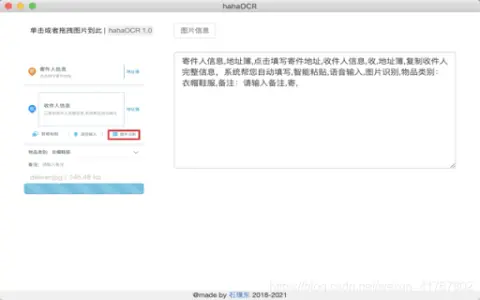
Introduction
Extract text from images and exit with ESC.
What are the Image to Text and ESC Exit App AI Chrome extensions/plugs?
This application allows users to extract text from images and convert it into editable text. Users can upload images by clicking a button and exit the application by pressing the “ESC” key.
How to use the Image to Text & ESC Exit App AI Chrome extension/plug-in?
Click the upload button to select an image. The application will automatically extract the text from the image and display it. Press the “ESC” key to exit the application.
The core functionality of the Image to Text and ESC Exit App AI Chrome extension/plugin.
Image to Text conversion
Use the ESC key to exit the function.
Related
Alt Text Creator with GPT-4 Vision
Browser extensions that utilize OpenAI's GPT-4 visual model to generate image-alternative text.
Decrackle Playground & APIs
An AI-based platform dedicated to the creation of audio-visual content and the development of intelligent dialogue systems.
BiteSyzed
AI-based tools automatically transform long videos into popular short-form clips.
StoryLab.ai
An AI content creation toolkit for marketers to generate engaging stories and campaigns.
Voice Translator
Online AI video translator, enabling fast and straightforward language translation.
Dubbing and Translation for YouTube
Real-time translation and dubbing for YouTube videos, with AI-generated subtitles.