AI TOOL / #07146
ImageToText
An extension that copies text from images on the internet via the OCR.Space API.
Introduction
An extension to copy text from images on the internet using OCR.Space API.
What is the OCR.Space API AI Chrome extension/plugin?
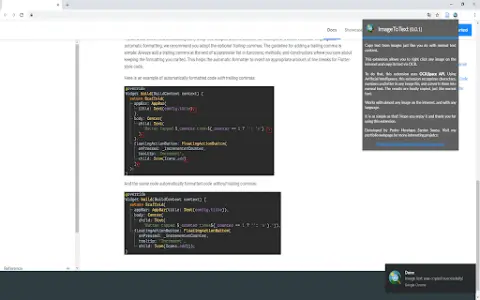
This extension lets you copy text from any image on the internet just like regular text content. Simple—that's the goal of this app. Just right-click the image, select “Copy Image Text,” and you're done… You can use and paste the text you see in that image. It's very useful for extracting text from informative, entertaining, and code-block images. Now you don't have to rewrite everything—with this extension, the problem is solved. To process images, this extension uses the OCR.Space API.
How do I use the OCR.Space API AI Chrome extension/plugin?
Right-click an image, select "Copy Image Text," and then paste the extracted text.
Core features of the OCR.Space API AI Chrome extension/plugin
Copy text from images on the internet.
Related
Rhippo
Rhippo: An AI team member equipped with dynamic knowledge and the ability to integrate contextual information into its functionality.
DriveGPT
An AI based on GPT-4 that uses the files in your Google Drive to provide assistance.
Draft by Slite
A disturbance-free, fast notes-taking and creative editing tool that automatically saves files and integrates seamlessly with Slite.
Tettra
An AI-powered knowledge base used to organize company information and answer questions.
ChatPhoto: Ai Image To Text
AI tools that convert images into text and allow users to “converse” with the photos themselves.
Hypercharge AI: Parallel Chats
Mobile-first AI chatbot for parallel prompting and LLM benchmarking.