AI TOOL / #07093
ChatScreen: Sider 2.0 for iOS
Artificial intelligence chatbots and assistants designed to interact with screen content and files.
Introduction
AI chatbot and assistant for interacting with on-screen content and files.
What is Sider: An AI Chatbot & Assistant?
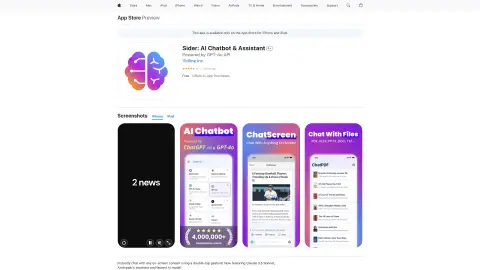
Sider is an artificial intelligence chatbot and assistant available on the App Store. It transforms your screen into a dynamic and interactive center, leveraging cutting-edge AI technologies such as ChatGPT, Claude, and Gemini. It enables users to access and interact with top-tier AI models, as well as files and images, all within a single app. Thanks to its ChatScreen feature, users can easily interact with the content on their screen by simply double-clicking or using customizable screenshot gestures. Sider can also analyze and summarize information effortlessly, or extract text from screenshots, making it an excellent tool for both work and learning purposes.
How to use Sider: AI Chatbot & Assistant?
Activate the ChatScreen function by using a simple double-click gesture or a customizable screenshot-taking gesture. Then, interact with the artificial intelligence to analyze, summarize, or extract the text from the content displayed on the screen. You can also upload files and images to use during conversations.
Sider: The core features of AI chatbots and assistants
Use the double-tap gesture to chat with any content on the screen.
In a chatbot, it is possible to access multiple artificial intelligence models, such as ChatGPT, Claude, and Gemini.
Interact with various file formats, including PDF, DOC, images, and more.
Quick access tips and real-time web browsing capabilities.
Writing assistance tools (rewriting content, expanding sentences, adjusting tone)
Related
Remchee
Chrome extension to access ChatGPT directly through the OpenAI API.
Bagel
Open-source unified multimodal AI is used for understanding, generating, and editing.
InspektorAI
InspektorAI enhances online interactions through AI-powered web searches and visual content analysis.
AI Avatar Generator
The AI Avatar Generator uses AI face-swapping and Midjourney's scene-generation technology to create customizable avatars.
LearnGPT: Generate Books on Any Topics
LearnGPT utilizes AI to generate complete books on various topics.
Podcast Shownotes Generator
A tool for generating podcast show notes, social media content, and SEO-optimized blog posts.