AI TOOL / #06680
Voice ON
Leverage artificial intelligence-based voice input technologies to enable accurate text entry and automatic punctuation generation.
Introduction
Voice typing extension using AI for accurate text input and automatic punctuation.
What is the Voice Typing Extension for Chrome – an extension/plugin for Google Chrome?
This extension allows users to enter text on any website via voice commands. Unlike other similar extensions, it utilizes advanced artificial intelligence speech recognition technology to provide accurate results and automatically add punctuation marks.
How to use the Voice Typing Extension for Chrome?
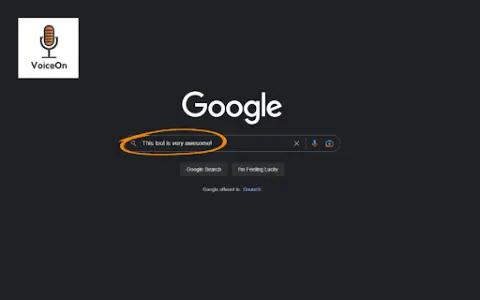
Install the extension and activate it on any website. Simply speak into the microphone, and the extension will convert your voice into text, automatically adding punctuation marks.
The core functionality of the Voice Typing Extension for Chrome.
Converting speech to text on any website
Accuracy driven by artificial intelligence
Automatic punctuation
Related
YouTube Transcript Generator
Extract and display the subtitles of YouTube videos, making it easy to access and review them.
Speechforms
A voice-driven app that makes it easy to fill out and create forms using voice.
Rememo
Rememo summarizes voice memos into concise and easy-to-understand segments of information.
VoiceChatGPT
Enable voice conversations with ChatGPT on chat.openai.com.
Purpal.ai
An AI-powered assistant for content creation, speech transcription, and document management.
AI Audio Kit
MacOS applications can easily perform audio transcription using OpenAI’s Whisper API as well as other services provided by various providers.