AI TOOL / #06677
Voice Control for Netflix
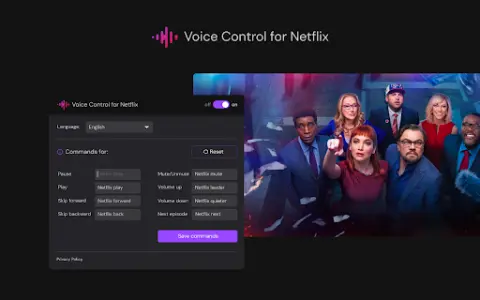
Use voice control to operate Netflix: play, pause, fast-forward, and more.
Introduction
Control Netflix with your voice: play, pause, fast-forward, and more.
What is the Voice Control for Netflix AI Chrome extension/plugin?
Netflix’s voice control allows users to manage their Netflix experience via voice commands. This includes tasks such as playing, pausing, and advancing videos, all without the need to use a remote control or touch the screen.
How to use the Voice Control feature for the Netflix AI Chrome extension/plug-in?
Simply enable Netflix’s voice control, and then use voice commands to control playback, navigate the menu, and search for content.
The core functionality of the Netflix AI Chrome extension/plugin for voice control
Use voice control to operate Netflix playback functions (play, pause, fast forward, rewind).
Hands-free navigation, Netflix menu
Voice search for films and TV shows
Related
WAGPT
Use ChatGPT on WhatsApp to engage in AI-driven conversations and carry out learning activities.
VoiceLine AI
An AI-powered intelligent platform for managing sales revenue in real-time transforms sound data into actionable insights.
Glia
AI contact center software that unifies digital and voice customer experience.
voicy.ai
A dialogue AI assistant that enterprises use to enhance customer interactions and satisfaction.
Zeriux Labs
An AI-driven non-profit organization that uses ethical innovation and technology to address global challenges.
SiteAgent.AI
An artificial intelligence-driven platform that offers personalized voice assistants to enhance customer interactions and boost sales on websites.