AI TOOL / #06631
Voice-to-ChatGPT
Voice-controlled ChatGPT interactions via browser plug-in.
Introduction
Voice-controlled ChatGPT interaction via a browser extension.
What is the Voice-to-ChatGPT ai chrome extension/plugin?
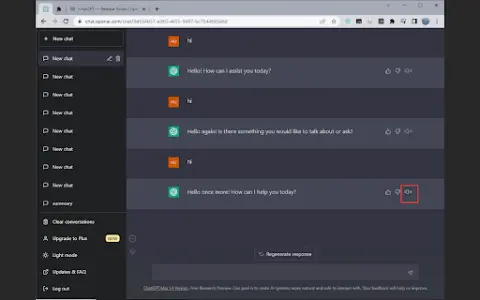
Voice Control ChatGPT is a browser plug-in that allows users to interact with the ChatGPT language model through voice. It leverages Google Chrome's speech recognition and text-to-speech technology to enable users to use voice input and audible replies from ChatGPT. Users can hold down the button to speak their question, release the button to send, and optionally cancel or edit before sending.
How to use Voice-to-ChatGPT ai chrome extension/plugin?
Open the ChatGPT homepage, press and hold the Talk button to speak, and release the button to send your question. You can cancel or edit your entry before sending.
Voice-to-ChatGPT ai chrome extension/plugin core functionality
Voice input to ChatGPT
Text-to-speech output for ChatGPT
Major languages supported
Press and talk function
Related
samespace.com
An AI-driven business acceleration platform that enhances recruitment, collaboration, and productivity.
Bika.ai
Bika.ai is a business process automation platform that integrates databases, automation technologies, and artificial intelligence.
Twitter Personality Analysis – AI agent
An AI agent that analyzes your tweets to reveal your unique Twitter personality.
CREATUS.AI
A platform that allows you to create beautiful and interactive forms without any need for coding.
AgentQL
A set of tools that connects AI agents with network data, enabling precise automation through natural language processing.
OnDemand
A RAG AI-based PaaS that enables seamless AI integration and business transformation.