AI TOOL / #06413
Audiotext AI
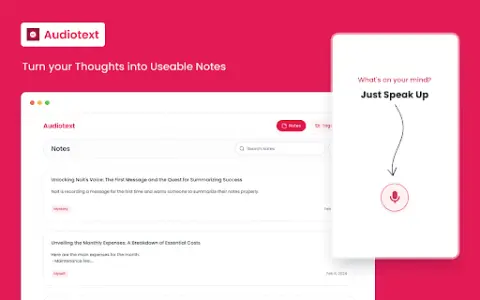
Audiotext AI converts audio to text, removes filler words, and offers multiple transcription styles.
Introduction
Audiotext AI converts audio to text, removing filler words and offering various transcription styles.
What is the Audiotext AI AI Chrome extension/plugin?
Audiotext AI can convert audio into accurate text by removing unnecessary words and generating concise summaries. It allows users to transcribe speech into text, offering multiple styles such as short summaries, bullet points, passive voice, and active voice.
How do I use the Audiotext AI Chrome extension/plugin?
1. Speak naturally, including filler words. 2. Choose a transcription style (short summary, long summary, bullet points, etc.). 3. Click "Transcribe."
Core features of the Audiotext AI Chrome extension/plugin
Audio to text
Remove unnecessary words.
Concise Summary
Rewriting with AI for style adjustment
Shareable note link
Related
QuickwitAI
Message Assistant provides AI-driven response suggestions in various scenarios.
Locus
An AI-driven search tool designed to quickly extract information from web pages and PDF files.
K8Studio
A Kubernetes IDE that simplifies monitoring and management.
Feedback Widget by Olvy
An AI-based user feedback management platform that incorporates features for integrating and updating logs.
Koala
A sales intelligence platform that uses AI to give priority to certain accounts and enhance sales participation.
Careerflow
An AI-powered career platform designed for job seekers, offering tools for creating resumes and applying for jobs.