AI TOOL / #05985
Voiceboost – ChatGPT
A Chrome extension designed for voice-controlled interaction with ChatGPT.
Introduction
Chrome extension for voice-controlled ChatGPT interaction.
What is the Voiceboost AI Chrome extension/plug-in?
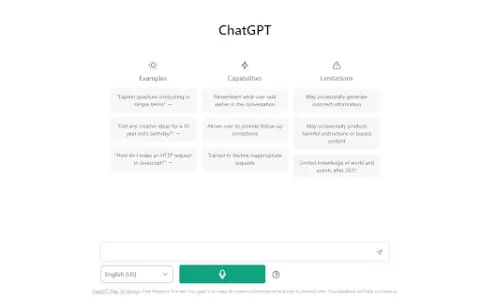
Voiceboost is a Chrome extension that allows users to interact with ChatGPT via voice commands. It adds a button below the input field; by clicking this button, the system captures the user’s verbal inquiries and sends them to ChatGPT for responses. This provides a hands-free alternative for entering text.
How to use the Voiceboost AI Chrome extension/plug-in?
Click the button added below the input area to start recording your voice input. Alternatively, use the keyboard shortcuts: Ctrl+Shift+S (Windows) or Command+Shift+S (Mac) to begin recording, and Ctrl+Shift+E (Windows) or Command+Shift+E (Mac) to stop and submit the recording. Make sure to grant microphone access when prompted.
The core functionality of the Voiceboost AI Chrome extension/plugin
Voice input for ChatGPT
Keyboard shortcuts for voice capture and submission
Related
Hinge Openers
An AI-based generator for creating opening lines in conversations on Hinge.
relish.ai
An AI-driven shopping assistant for Shopify stores that provides automated support and enhances sales performance.
RAGNA Desktop
A private desktop AI chatbot that runs locally, without the need for the Internet, and can automate various tasks.
Chatterdocs
An AI chatbot platform that enables users to create custom GPT-driven chatbots without any need for coding.
Lizzy Sleep
The Lizzy Sleep app offers personalized sleep plans and 24/7 customer support, and it is also designed to assist with infants' sleep patterns.
Flochat
Flochat automates chat for Saa...