AI TOOL / #05521
Expense Sorted
AI-based expense classification tool that supports Google Sheets and other platforms.
Introduction
AI-powered expense categorization tool for Google Sheets and other platforms.
What is Expense Sorted?
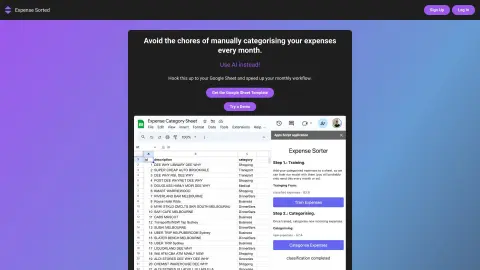
Expense Sorted is an AI-based tool designed to automatically categorize monthly expenses. It integrates with Google Sheets, Lunch Money, Tiller and the upcoming PocketSmith to help users simplify the budget management process. The tool eliminates the need for manual categorization by using AI to analyze transactions and assign them to appropriate categories. It also provides free Google Sheet templates to help users get started quickly.
How to use Expense Sorted?
1. Import transactions into Google Sheets. 2. Click on the Expense Sorted add-on to use AI to automatically sort transactions. 3. View and analyze the categorized data in your table.
Core features of Expense Sorted
Using AI to automatically categorize expenses
Integrates with Google Sheets, Lunch Money, Tiller and PocketSmith
Customizable categories to fit unique spending patterns
Privacy-focused design, data remains in the user’s Google Sheet
Supports API for custom integration
Related
National Smart Education Platform
The "National Smart Education Public Service Platform" is a smart education platform guided by the Ministry of Education of the People's Republic of China and hosted by the Educational Technology and Resource Development Center of the Ministry of Education (Central Audio-visual Education Center). It was officially launched on March 28, 2022. The National Smart Education Public Service Platform has three major sections:
Cloudconvert Cloud Conversion Service
CloudConvert is an online file format converter. It supports the conversion of over 200 different file formats, covering almost all types of audio, video, documents, e-books, archives, images, spreadsheets, and presentation files. For example, P…
Free commercial fonts
100font 100font is a website dedicated to collecting and organizing free-for-commercial-use font resources. Currently, the number of free fonts that have been selected and shared on this website has exceeded 150! Each font is stored directly in the online file storage system, allowing users to download them immediately.
Internal online shopping coupons
Everyone loves discounts! This website allows you to search for internal coupons from Taobao, Tmall, JD.com, and Pinduoduo with just one click. Save dozens or even hundreds of yuan on every purchase you make! Simply copy the product link from Taobao, JD.com, or Pinduoduo and paste it into the search bar to find the corresponding internal coupon for that item.
QR code for grass seeds
The Grassland QR Code Generator is a highly professional tool for creating and managing QR codes. Its main features include: generating QR codes, decoding them, beautifying their appearance, and using dynamic QR codes. When it comes to code generation, this tool supports converting text, web addresses, files, images, audio and video content, business cards, and other types of information into QR codes.
Baimiao OCR
Baimiao Web Version supports text extraction from images, mathematical formula recognition, spreadsheet recognition, and converting scanned PDFs to text. It’s free to use on the web~