AI TOOL / #04214
Spot AI
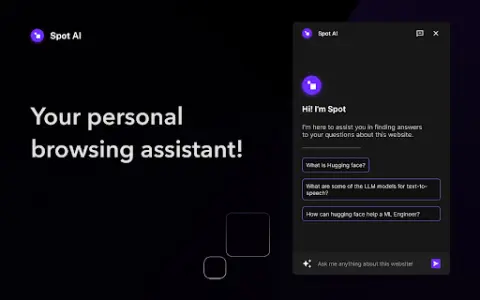
Spot AI reads web pages to answer your questions.
Introduction
Spot AI reads webpages to answer your questions.
What is the Spot AI Chrome extension/plug-in?
Spot AI is a browsing assistant that can read web content and answer questions based on that information. It enables users to easily conduct research and obtain information. It is available as an extension for Chrome and is also compatible with Brave and Arc browsers. Once installed, it can be activated by using the CMD/CTRL + K shortcut key.
How to use the Spot AI Chrome extension/plug-in?
Install the Spot AI extension in Chrome, Brave, or Arc. After installation, activate it by using CMD/CTRL + K. For the best experience, fix the extension in your browser. Then, pose your question, and Spot AI will read the relevant text on the web page to provide you with an answer.
The core functions of the Spot AI Chrome extension/plug-in
Read a web page and answer questions based on its content.
Compatible with Chrome, Brave, and Arc browsers.
Launch it by pressing CMD/CTRL + K.
Related
CopyrightShark
Provide content creators with services for protecting their content and removing any instances of DMCA violations.
TextGears
An online platform for grammar and spelling checks, supporting multiple languages.
UpScore AI
An AI-based platform for evaluating and improving IELTS Writing Task 2 performances.
Mentafy Extension
Mentafy is an anti-AI plagiarism detection tool designed to help organize reference materials and store snapshots within writing projects.
SpamCheck.ai
AI-based detection and prevention of spam in user-generated content, covering comprehensive analysis and validation.
AI Detector for PPT
An AI detection tool designed to accurately identify content generated by artificial intelligence in PowerPoint presentations.