AI TOOL / #04207
StudyPal AI – Ultimate Homework Helper
A Chrome extension that allows users to quickly obtain AI-generated answers while browsing web pages.
Introduction
Chrome extension for quick, AI-powered answers within webpages.
What is the StudyPal AI Chrome extension/plug-in?
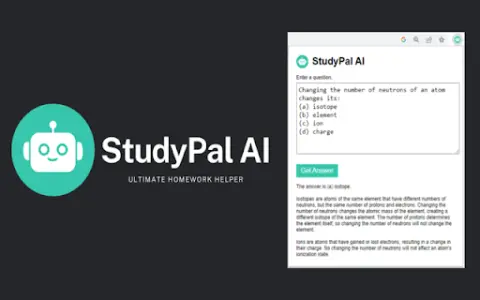
StudyPal AI is a Chrome extension designed to help users quickly locate answers to questions on web pages. By highlighting relevant text and clicking the extension icon, an AI-powered search engine will automatically fill in the question and provide quick and convenient answers, allowing users to stay on the same page without having to leave it.
How to use the StudyPal AI Chrome extension/plug-in?
Install the Chrome extension. Highlight the text on the web page, and click on the StudyPal AI icon in the browser toolbar – the AI will then find the answer for you.
The core functions of the StudyPal AI Chrome extension/plug-in
AI-powered search engine
The highlighted text is automatically used to fill in the search box.
Quickly obtain the answers and explanations.
No need to leave the web page.
Manually enter the options related to the question.
Related
Message AI
Cross-platform AI chat application that supports iCloud synchronization, as well as text-to-image and text-to-speech functions.
Audioread
Audioread converts text into audio, allowing users to listen to it via AI-generated voices within podcast apps.
XSPACESTREAM
An AI-driven platform for transcription, analysis, and question-answering in the X-space domain.
Scribvet
Vet AI documentation assistant, enabling the automatic generation of medical records.
FastAi
An AI-driven content creation platform that offers SEO optimization and a variety of AI tools.
DialogusAI – Learn Language by talking to AI
A Chrome extension designed for language learning, which is capable of converting speech into text and vice versa.