AI TOOL / #02089
Tomat
A code-free data analysis platform that utilizes AI to process CSV and Excel files.
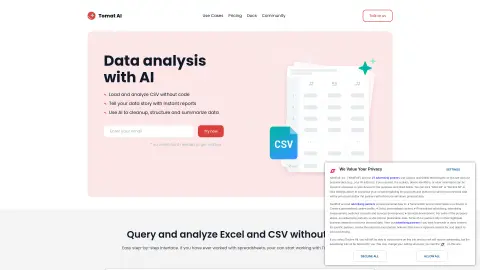
Introduction
No-code data analytics platform with AI for CSV and Excel analysis.
What is Tomat.AI?
Tomat.AI is a data analysis platform that requires no coding knowledge. It allows users to analyze CSV and Excel files through a visual, step-by-step interface. With the help of AI agents, it provides functions such as data cleaning, extraction, summarization, and sentiment analysis. Users can quickly generate reports, automate their tasks, and connect to various data sources without writing any code.
How to use Tomat.AI?
Download and install Tomat.ai. Load any CSV or Excel file. Use the intuitive user interface to perform visualizations that involve filtering, sorting, and grouping data. Take advantage of the “AI Columns” or “AI Tables” features to enrich, translate, analyze, or clean your data through natural language commands.
The core features of Tomat.AI
Code-free data analysis
AI-driven data conversion
Visual, step-by-step interface
Automatic data analysis
Data reporting and export
Related
meetXcc: AI Meeting Mind Mapper
Chrome extension that provides automatic transcription, summarization, and visualization for Google Meet meetings.
PhotoCaptions AI
An AI-powered tool for generating photo captions and tags.
Dub AI
An AI-powered platform for translating and dubbing videos to engage global audiences.
Noota
An artificial intelligence conference assistant designed to automatically record, summarize information, and provide business insights.
Meet Transcriber
Provide real-time transcription for languages not supported by Google Meet, along with manual editing services.
Google Meet Captions Capture
A plugin for downloading Google Meet captions to use with large language models (LLMs) for summarization.