AI TOOL / #01242
Photo Stitching (PixPix)
Combine multiple images into a long image grid
Introduction
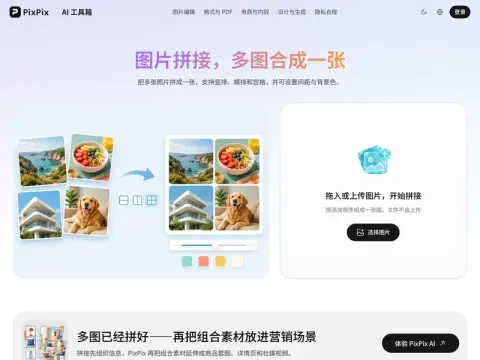
Combine multiple images into one and output it as a JPG, with three layout options:
- Vertical typesetting— Read the long image and tutorial from top to bottom.
- Horizontal typesetting— Before-and-after comparison, with A/B options presented side by side
- grid—— When displaying multiple similar photos, they look neatest when they are all the same size.
Setting the spacing to 0 creates a seamless stitch, which works well for joining long screenshots together; increasing the spacing makes each image stand on its own. Both the gaps and blank areas are filled with the background color, and these two settings largely determine whether the finished result looks like a polished piece or a casual mashup.
If the photo sizes don’t match, the grid will leave gaps that are filled with the background color. For the neatest result, first crop the photos to the same aspect ratio before stitching them together.
Related
PodcastMemo
PodcastMemo provides concise summaries and notes of top-quality podcasts, enabling users to acquire knowledge quickly.
Podgen
AI tools are used to convert content into professional podcasts, enabling the use of natural speech.
Grro
An artificial intelligence-driven platform for gaining insights into podcast audiences, designed to help understand and optimize podcast strategies.
Syndy
Syndy uses AI to create personalized podcasts based on user preferences.
read-this.ai
An AI tool that converts articles into audio files of podcast quality, making them easy to listen to.
Podsqueeze
An AI-driven tool that helps podcasters generate and customize a variety of content from audio/video.